
As an administrator in Refapp, you can enable demographic data collection at candidate level. This feature allows your organization to collect anonymized statistics related to candidates and creates better conditions for data-driven diversity and inclusion initiatives.
What does the feature include?
To enable demographic data collection, Refapp needs to extend the categories of personal data processed on behalf of your organization in its role as data processor.
As part of the activation process, you will be able to:
- Review information about which personal data is processed
- Approve a data processing addendum
- Confirm that you are authorized to accept the agreement on behalf of your organization
You can read the addendum and download it by following this link. .
Which personal data is collected?
The feature includes the following categories of candidate personal data:
- Age
- Gender
- Education level
What is the data used for?
The demographic data is used to:
- Collect and structure limited demographic data in connection with the reference checking process
- Analyze the data together with reference check results to generate grouped benchmark insights
- Aggregate and anonymize relevant data for inclusion in Refapp’s shared benchmark database
How to enable the feature
- Go to Company Settings
- Open the General tab
- Scroll down to the Demographic data section
- Enable the toggle to begin the activation process
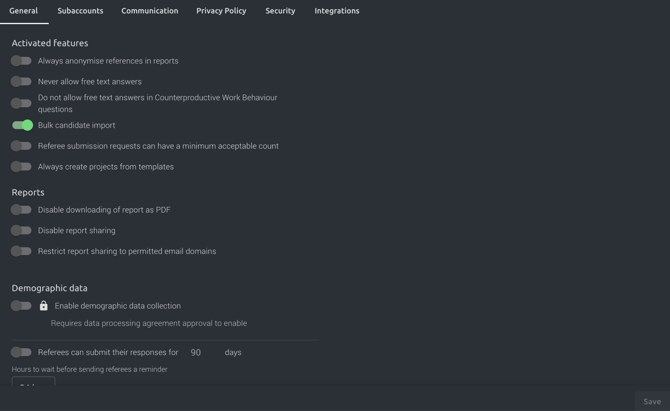
When you click the toggle, the data processing addendum will open.
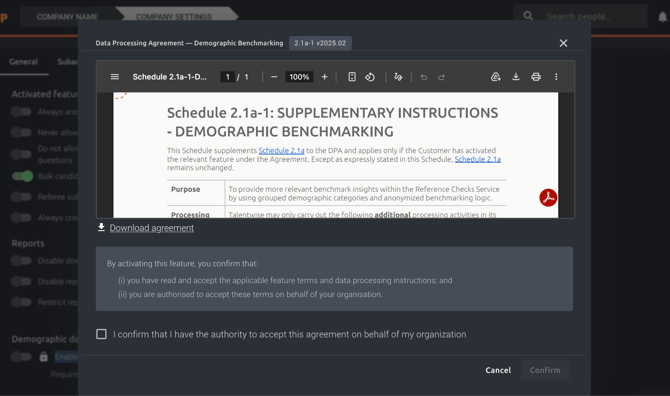
Approve the data processing addendum
After reviewing the agreement:
- Confirm that you are authorized to approve the agreement by checking the checkbox
- Click Confirm
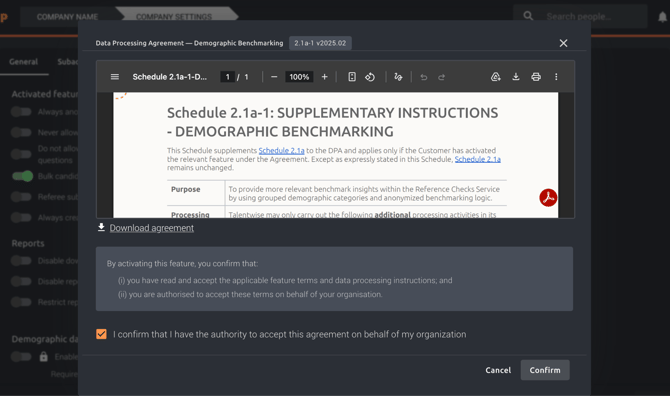
You can also download the agreement if you would like to save it internally. Otherwise, you will always be able to access the addendum by following this link.
Complete the setup
Once the addendum has been approved, the toggle will be activated and the feature will become available.
You can then also specify:
- Which country your organization operates in
- Which industry your organization belongs to
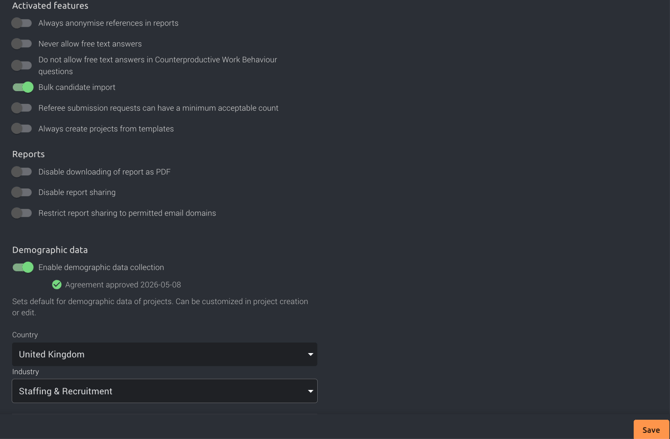
This helps Refapp provide more relevant benchmark and statistical insights.
What insights will you gain?
Once the feature is enabled, your organization will gain access to anonymized demographic statistics for your final-stage candidates.
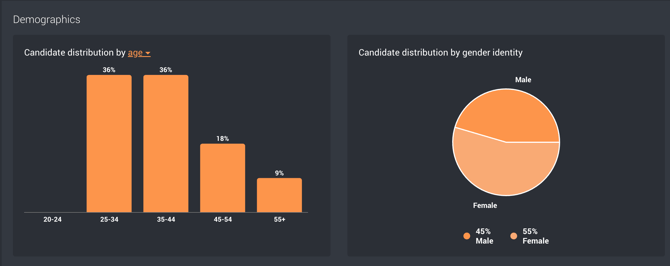
For example, the insights may include:
- Distribution between different genders in the final stages of the recruitment process
- How results vary across different age groups
- Potential patterns related to education level
This creates better conditions for insight-driven and data-driven diversity and inclusion efforts.