
Before you start
- Manager requirements are turned on per account. Contact Refapp Support to activate this feature.
- The manager requirement applies when candidates enter their own references. It doesn't apply when references register themselves.
How to set the number of managers
With manager requirements turned on, the rows for how many references to request and the minimum number to accept become a single picker: Referees to ask for. You find it in project settings and in the dialog where you request references from the candidate.
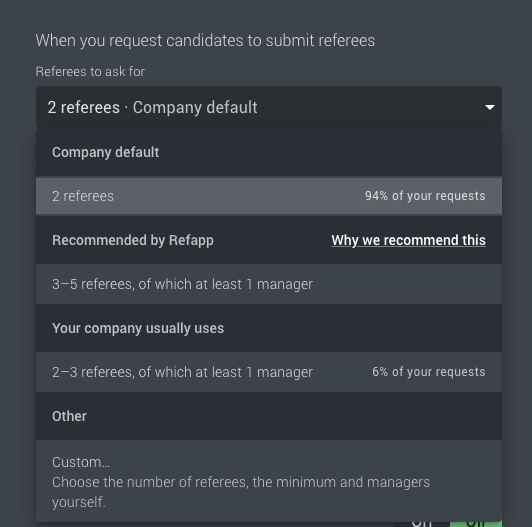
The picker offers:
- Recommended by Refapp – 3–5 references, of which at least 1 manager. Click Why we recommend this to read the reasoning behind it.
- Your company usually uses – the setups your company uses most, with each setup's share of your requests.
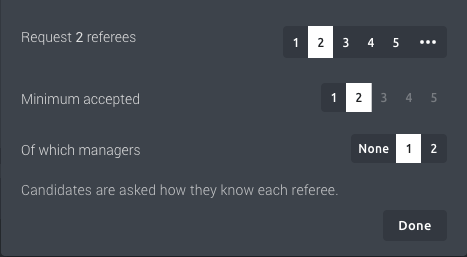
- Custom… – you choose how many references to request, the minimum you accept and Of which managers (None, 1 or 2).
How it works for the candidate
The email to the candidate adds a line saying that at least one of the references should be someone who is or was their manager.
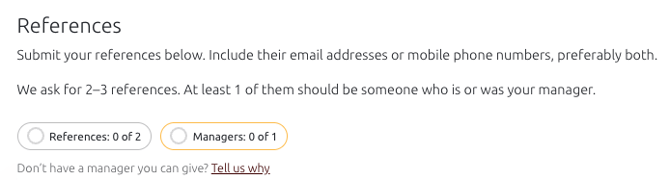
When the candidate opens the form, it says how many references you ask for and how many of them should be managers. At the top of the page, the candidate sees their progress, for example Referees: 1 of 2 and Managers: 0 of 1. These stay in view while the candidate scrolls.
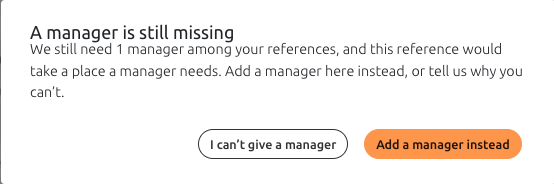
The candidate fills in the relationship with the reference. If the candidate is about to fill the last place a manager needs with someone else, the message A manager is still missing appears. The candidate can then choose Add a manager instead or I can't give a manager.
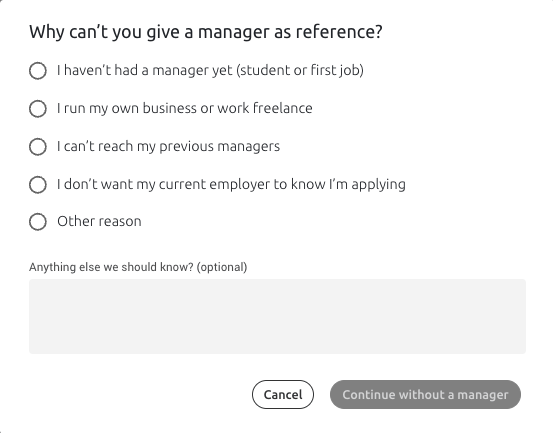
If the candidate can't give a manager, they choose one of five reasons under Tell us why:
- they haven't had a manager yet
- they're self-employed or a freelancer
- they can't reach their previous managers
- their current employer mustn't know about the application
- other
The candidate can add optional details, and can undo the choice later.
The I'm done button only appears once the manager requirement is met or the candidate has said why they can't give a manager. Until then, the request stays open and the automatic reminders continue.
What happens in Refapp?
On the candidate page, each reference shows their role in relation to the candidate, for example Manager, Colleague or Customer.
On the candidate card, the tooltip on the reference request button shows how many managers have been submitted, for example 0 of 1 required manager submitted.
In the internal report, a box right under the Referees heading appears if the manager requirement wasn't met. It shows either how many of the required managers were submitted, or a note that the candidate gave no manager, with the date, the reason and any details the candidate added.
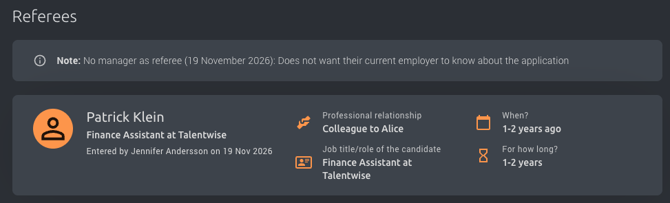
The box only appears in the internal report, never in reports you share with others.