
To provide recruiters and hiring managers with even better decision-making support, warnings and suspected fraud indicators can now also be included in reports shared from Refapp to recruitment systems and external recipients.
👉 Go directly to how you enable warnings in reports shared via your recruitment system here.
👉 If you want to see how to enable warnings in reports shared manually from Refapp, click here
Previously, these warnings were mainly visible inside Refapp. Now, the same information can follow directly in the shared reference report, making it easier to identify and highlight potential discrepancies regardless of where the report is viewed.
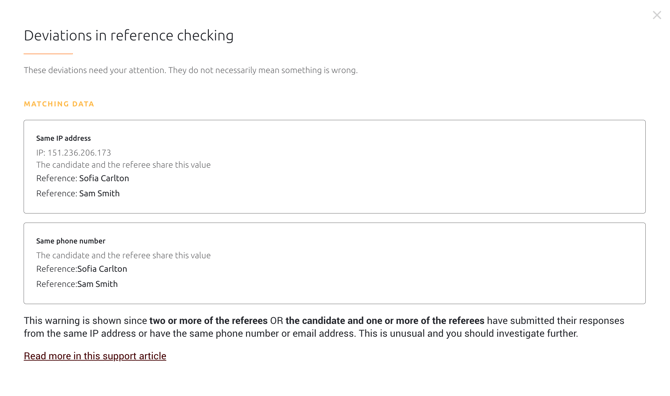
The functionality is based on the same logic already used in Refapp to identify suspicious discrepancies related to, for example:
- Matching IP addresses
- Matching phone numbers
- Matching email addresses
- Conflicting information between the candidate and the reference
The purpose is to help recruiters identify situations that may require further investigation. The warnings do not automatically mean that something is wrong, but they provide additional transparency and support throughout the recruitment process.
Enable warnings in reports shared with your recruitment system
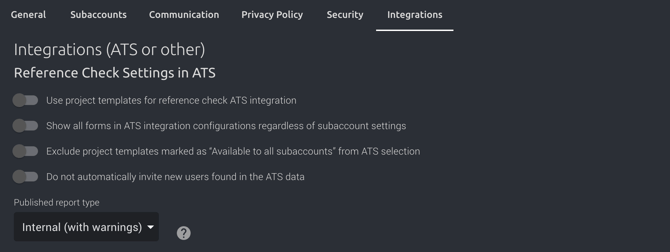
Users with Administrator permissions can enable this feature in your account by navigating to: Company Settings and the Integrations tab.
There, you can now choose to share the report type “Internal (with warnings)” with your recruitment system.
How the warnings are displayed in the report
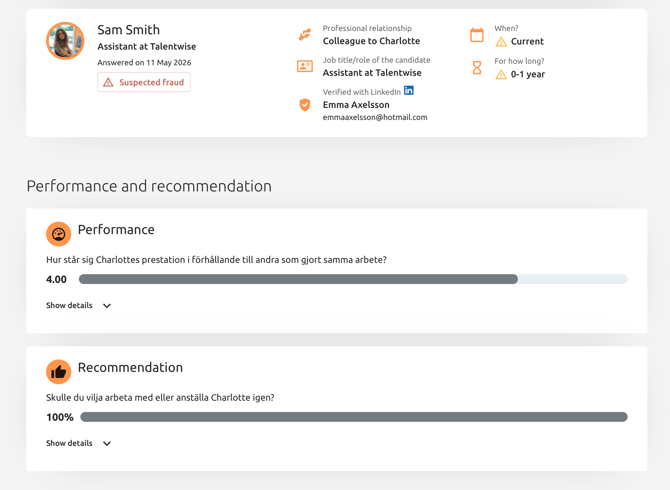
If the system identifies discrepancies, these are clearly displayed directly in the reference report, for example through warning labels on the reference or specific data points.
The report may display, among other things:
- A “Suspected fraud” warning label
- Warnings related to time periods or relationships
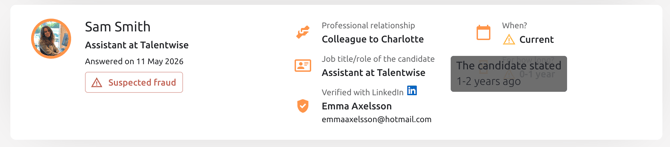
- An explanatory tooltip showing the candidate’s submitted information when hovering over the warning icon
- A detailed summary of identified discrepancies when clicking on “Suspected fraud”
Enable warnings in reports shared manually from Refapp
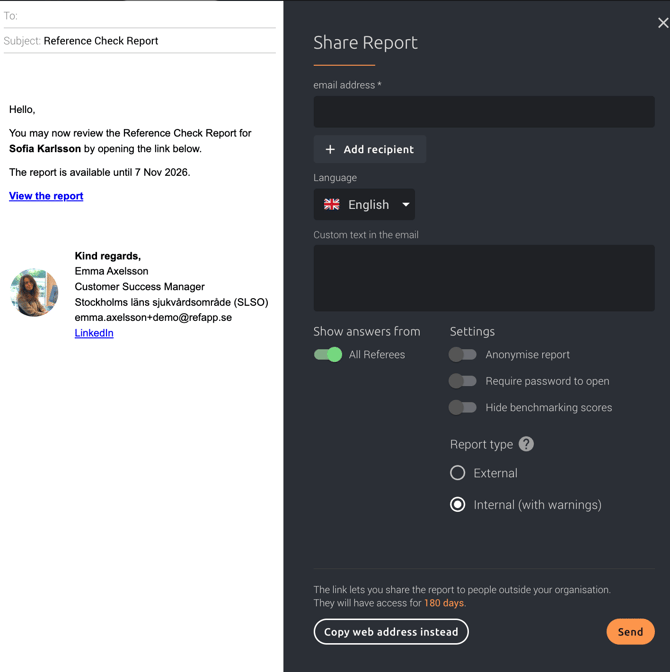
When sharing a reference report directly from Refapp, you can now choose the report type “Internal (with warnings)”.
This will include any warnings and suspected fraud indicators directly in the shared report.
Who is this feature for?
This feature is especially valuable for organizations that:
- Operate in environments with high security requirements
- Want to improve quality assurance in the recruitment process
- Use Refapp through their recruitment system
You can read more about how suspected fraud warnings work in our Help Center:
Suspected fraud in Refapp