
With candidate ID verification, the candidate confirms who they are with an electronic ID, for example BankID, Freja, MitID, FTN or Vipps. It helps you make sure that the person you're checking is the person they say they are.
You can use it in three ways:
-
As a step in the reference check
-
As a separate request you send to the candidate
-
In a project that only verifies the candidate's identity.
How it works
1. The candidate gets a request
The candidate gets an email and/or SMS with a link to a page where they verify their identity.
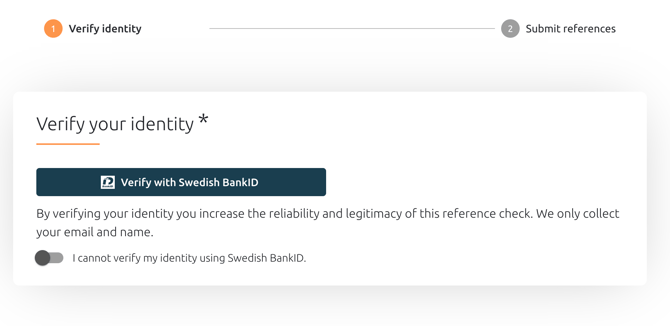
The project setting Prefer to communicate with candidates via decides whether the request and the automatic reminders go out by email, SMS or both.
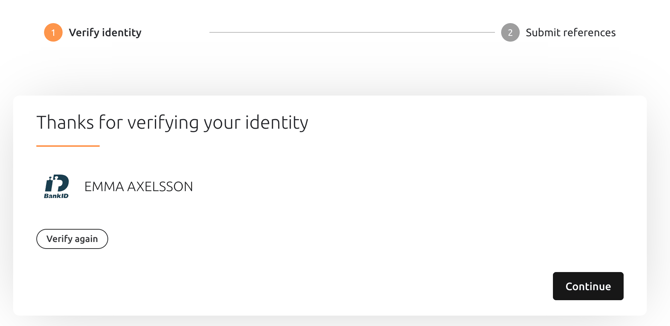
2. The candidate verifies with their e-ID
The candidate logs in with their e-ID. The login happens directly with the e-ID provider, and Refapp doesn't send any personal data to the provider.
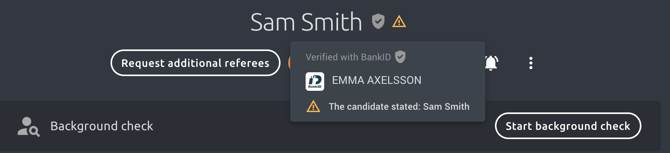
3. You see the result
Refapp compares the verified name with the name you entered for the candidate. If the names don't match, you'll see this on the candidate’s profile.
Three ways to use candidate ID verification
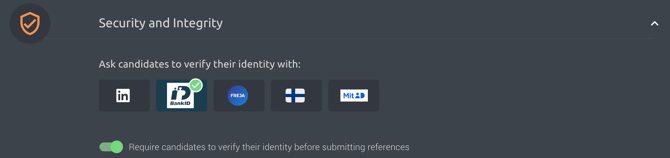
As part of the reference check
The candidate verifies their identity before they can submit their referees. The verification is a required first step, so no referees are added until the candidate has verified.
As a separate request
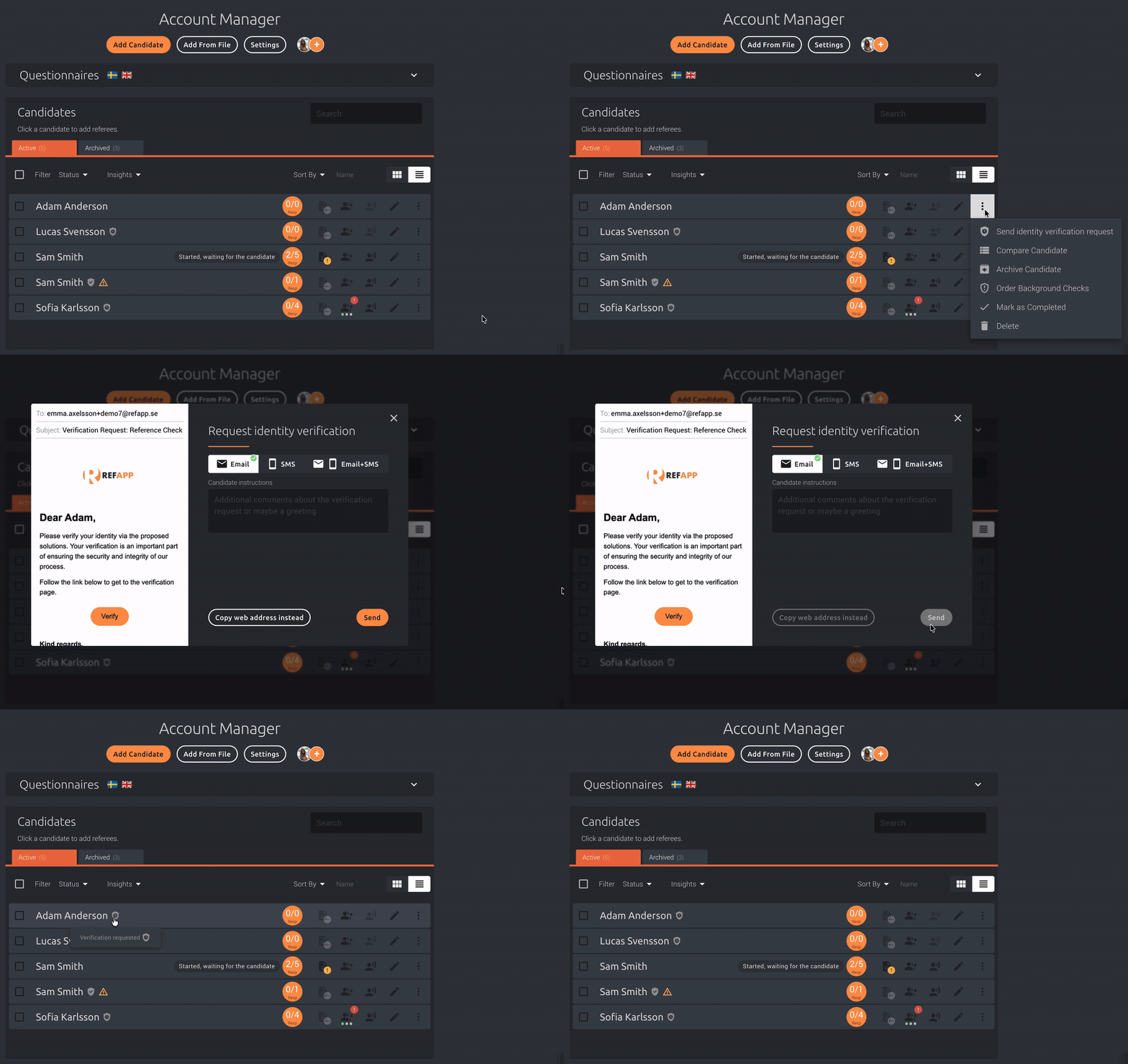
You can send an identity verification request to a candidate on its own. Click the More button on the candidate and select Send verification request. The candidate needs to be in a reference check project, but you can send the request before you ask the candidate for referees.
In an ID verification-only project
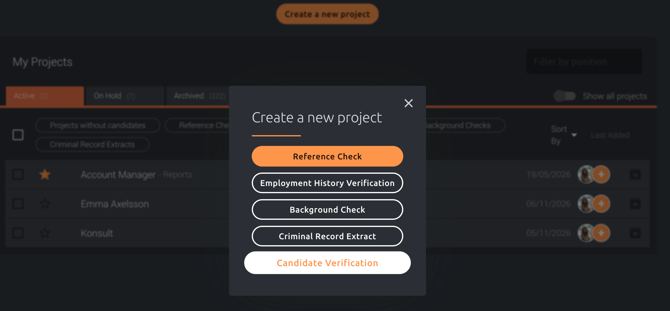
If you only want to verify the candidate's identity, without a reference check, you can use a project that only does ID verification.
What happens if the name doesn't match?
If the name from the e-ID doesn't match the name you entered for the candidate, this is shown in the report. A mismatch doesn't always mean something is wrong, for example the candidate may have a middle name or a new surname, so we recommend that you follow up with the candidate.
Do I need to activate this?
Yes. Candidate ID verification is an add-on. To get started or learn more, contact your Customer Success Manager or Refapp Support.
Tip: Combine candidate ID verification with identity verification of referees for an even more secure reference check. Read more in How can I increase the verification rate in the reference check?