
This is a guide to help you as a candidate in Refapp.
If you received an email or SMS from Refapp asking you to correct a referee's contact details, it means the reference request couldn't be delivered to your referee. This usually happens if the email address contains a typo or the phone number is incorrect, for example if your own phone number was filled in automatically.
1. Open the link
Open the link in the email or SMS you received.
2. Check what went wrong
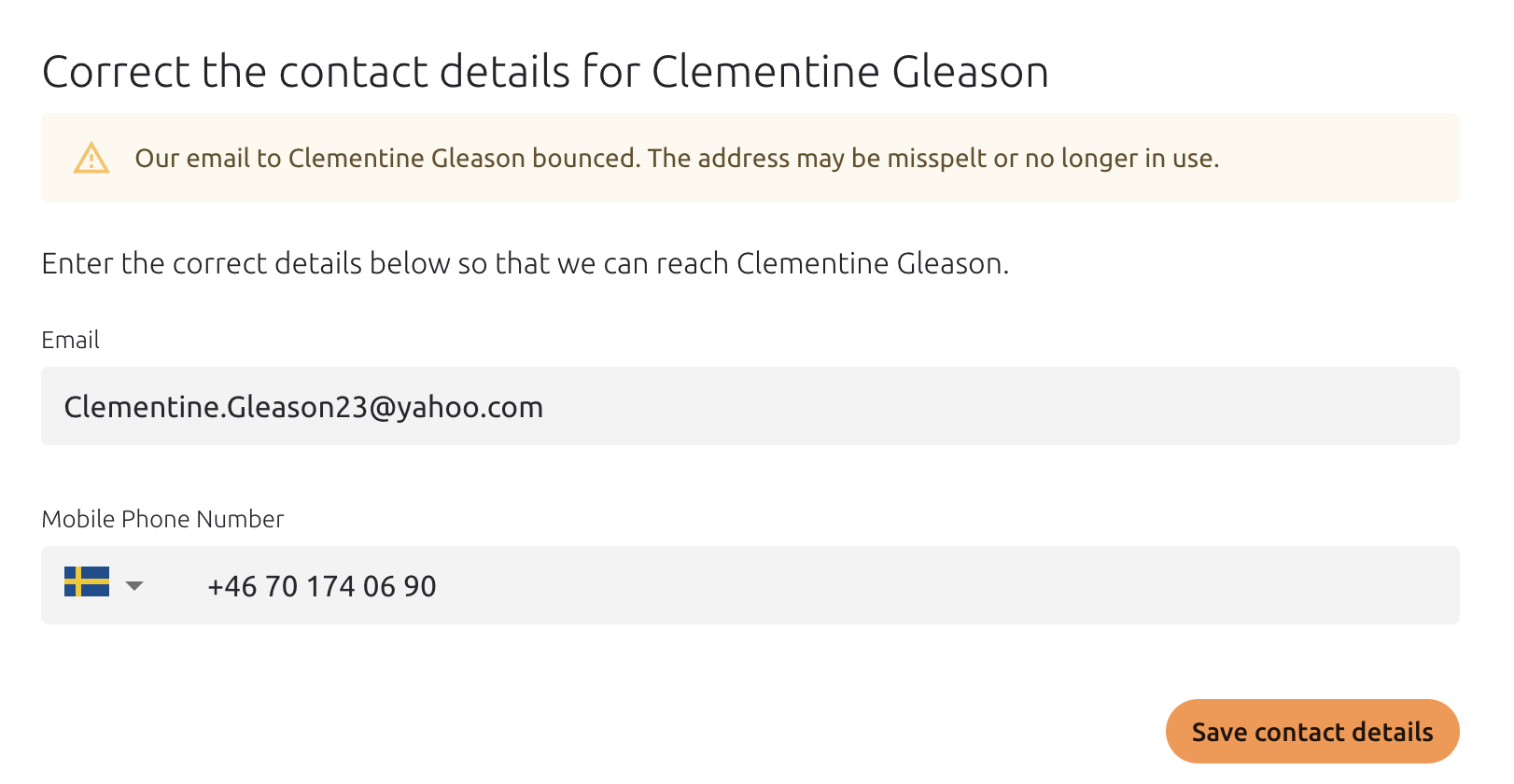
The page shows which contact detail didn't work and why.
3. Enter the correct details
Enter the correct email address or phone number for your referee and save.
See example:
4. The request is sent again
The reference request is automatically sent to your referee again. You don't need to do anything else.
Tip: Let your referee know that a reference request is on its way, and ask them to check their spam or junk mail folder if they can't find it.
Frequently asked questions
How long do I have to correct the details?
Please correct the details within 24 hours. After that, the recruiter is notified that your referee couldn't be reached, and they may contact you.
What happens if the new details don't work either?
The recruiter is notified and may contact you. We recommend double-checking the details with your referee before you save.
Do I need to create a Refapp account?
No. You only need the link in the message you received.
Who do I contact if I have questions?
Contact the recruiter or the company you've applied to. They can follow the status of your references!