
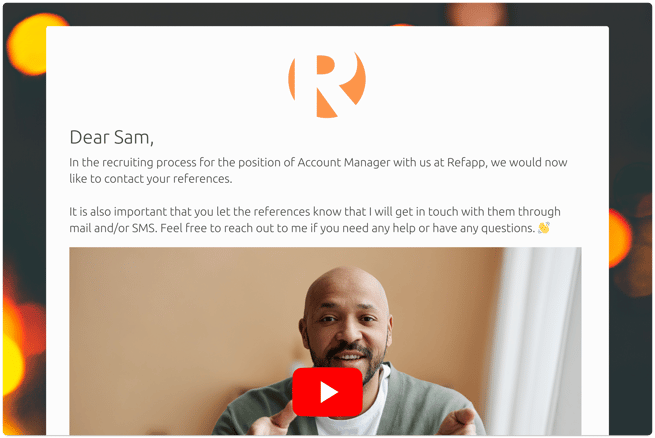
In Refapp, you can add a video as a first greeting to your candidates when they are about to submit their references, and also to the introduction text at the top of the reference form. This article explains both options and how to get started. To enable this feature, contact support@refapp.com.
How do I add a video greeting for candidates?
Add a video greeting so candidates see a personal welcome before they submit their references. Use it to provide additional instructions for the reference-checking process or to include a personal message that sets a positive tone.
Video introduction for referees
It is also possible to add a video to the introduction text at the top of the reference form. This means that when a referee opens the form to provide a reference, they can first watch a short video that welcomes them, explains why the reference check is being conducted, or otherwise reinforces your company’s employer brand.
.png?width=597&height=593&name=Newsletter%20features%20dec%202025%20(3).png)
Using video in the reference-checking process is an effective way to make the experience more personal and engaging for both candidates and referees. It also helps build trust and clarity, so referees feel confident about why they have been contacted and what is expected of them.
To enable this feature or get help setting it up, contact Refapp support at support@refapp.com.