
How it works
The Include user selection in template choice setting lets you define which Refapp users can be selected as the sender when initiating a reference check from Greenhouse.
How to add users
- Log in to your Refapp account.
- Go to Company Settings.
- Open the Integrations tab.
- Locate the Include user selection in template choice setting.
- Search for and select the users you want to make available as sender options. Remember to save your settings!
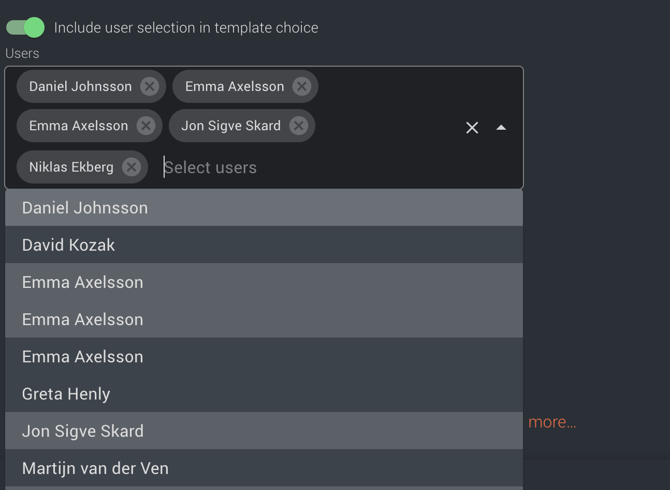
Once added, these users will be available to select as the sender when creating a reference check through the Greenhouse integration.
Need help? If you're experiencing any issues with sender selection or your Greenhouse integration, don't hesitate to contact the Refapp Support team.
Recommendation: Upgrade to the Greenhouse Harvest version
If you're still using the legacy Greenhouse Harvest API, we recommend upgrading to Harvest version. Read more about how the Harvest version works here: How to use the integration in a job in Greenhouse (with Harvest API)