To make this customization, you need to be an administrator in Refapp.
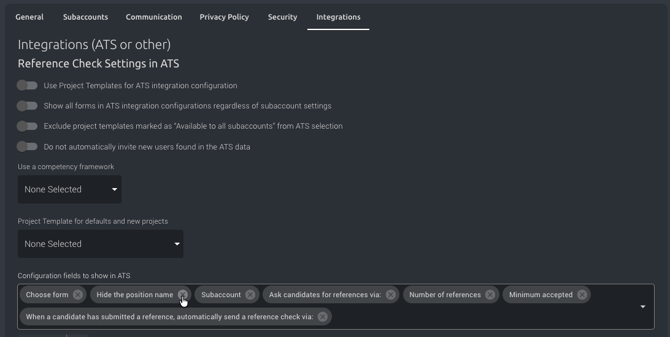
Go to Company Settings and click on the Integrations tab.
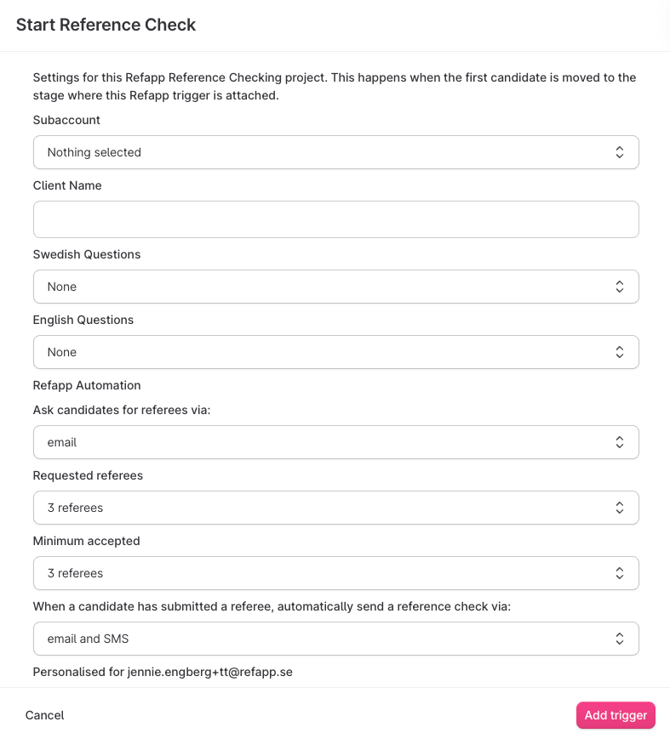
There you will find a section for settings that are displayed in your ATS. In this section, you can easily remove or add the fields you want to be visible in your recruitment system. For example, if you never select the option to hide the job title, you can set it so that this choice is not visible in your settings. If you want to include additional instructions for the candidates, you can enable the candidate instructions field in your ATS. Remember to save your changes when you are done.
In your recruitment system, only the fields you’ve selected will be visible when setting up Refapp