
The Competency Framework Module allows you to include competency-based questions in your reference forms. Refapp partners with several competency framework and assessment providers, making it easy to tailor your reference checks to your organization's existing recruitment process.
Note: The Competency Framework module is an optional feature and must be activated on your Refapp account. If you're interested in using it, please contact your Customer Success Manager.
Create a questionnaire with the Competency Framework Module
The Competency Framework Module is added to a questionnaire, allowing you to reuse the same form across multiple projects while selecting different competencies for each recruitment.
Add the module to your Questionnaires
- Go to Forms
- Create a new questionnaire or edit an existing one.
- Click Add question and select the Competency Framework your company uses (depending on which framework your organization uses, you'll have different options to choose from)
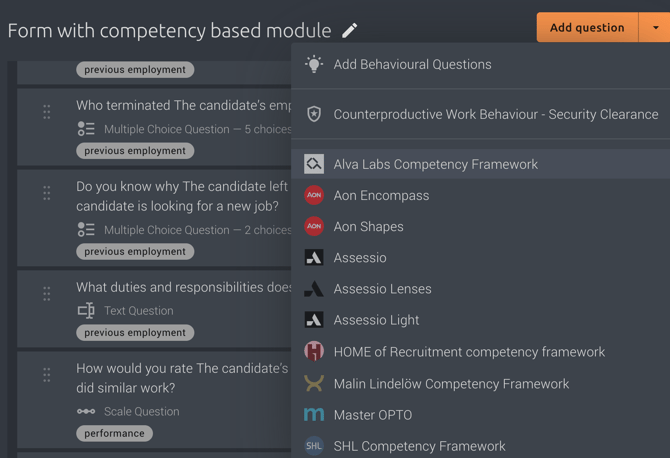
Select competencies for the questionnaire
Once you've added the module, you can choose which competency framework you want to use and which competencies should be available.
- Click the Edit icon on the Competency Framework Module.
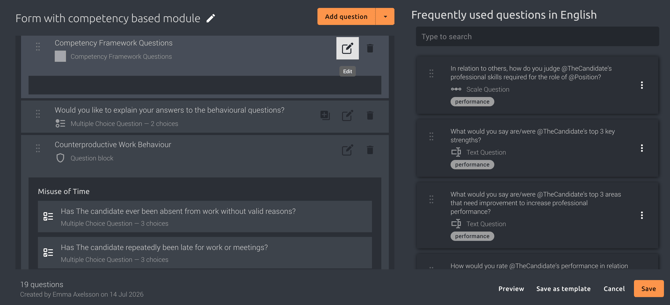
- Enable the competencies you want to include in the questionnaire.
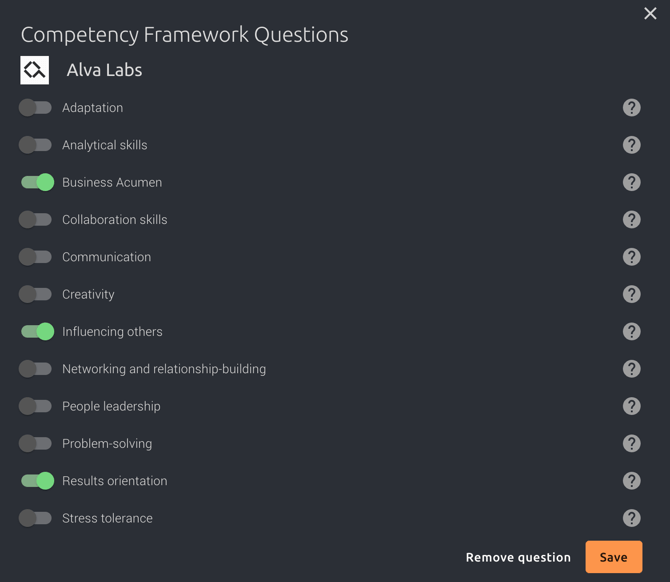
- Click Save.
The selected competencies will now be available whenever this questionnaire is used in a project.
💡 Tip: You don't have to preselect any competencies in the questionnaire. If you leave the Competency Framework Module empty, users can select the competencies they want to assess directly within each project. This is useful if different roles require different competency profiles while still using the same questionnaire.
Use the questionnaire in a project
When creating a new project, select the questionnaire containing the Competency Framework module. Click Edit Questions to make changes to the questionnaire.
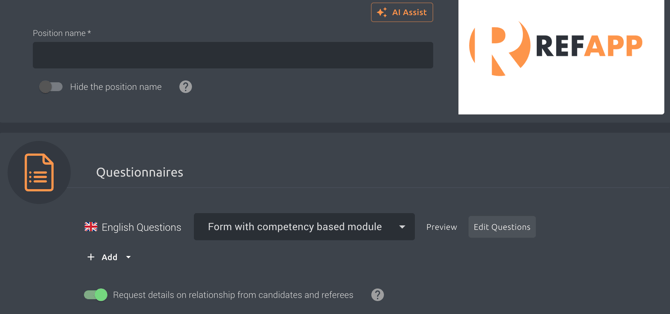
When you open the questionnaire, the competency section will appear alongside your other questions.
Customize competencies for a specific project
One of the main benefits of the Competency Framework module is that you can tailor competencies to each recruitment without modifying the original questionnaire.
To update the competencies for a project:
- Open the questionnaire in your project.
- Click the Edit icon on the Competency Framework module.
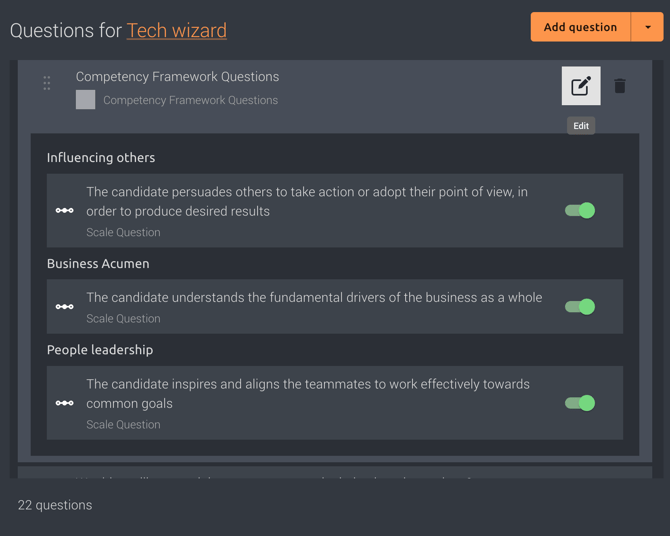
- Enable or disable the competencies you want to assess for this specific recruitment.
- Click Save.
The questionnaire will immediately update to include only the selected competency questions. This allows you to reuse the same questionnaire while adapting the competency assessment to different roles.
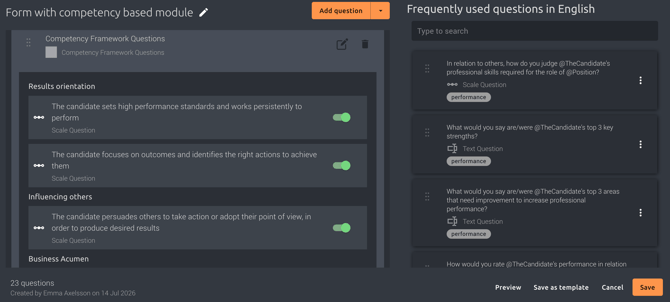
When you've finished customizing the questionnaire, click Save to apply the changes to the project.
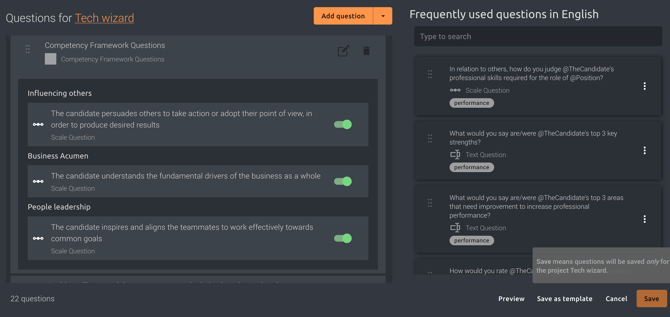
Good to know: Changes made to the competency selection within a project only affect that specific project. The original questionnaire template remains unchanged, allowing you to reuse it for future recruitments.
Why use the Competency Framework module?
Using competency-based reference checks helps you:
- Create a consistent recruitment process from interview to reference check.
- Assess the competencies that matter most for each role.
- Reuse the same questionnaire while tailoring competencies for each recruitment.
- Align reference feedback with your organization's competency framework or assessment provider.