
When sharing a reference report with a customer, hiring manager or another stakeholder, you may want to protect the identity of the referees.
With Refapp, you can easily share an anonymised version of a reference report, where the referees' identifying information is hidden from the recipient.
How to share an anonymised reference report- Navigate to the candidate's profile.
- Click Show report to open the reference report.
- Click Share Report.

- Select which references you want to include in the report.
- Activate the Anonymize report option to hide the referees' identities.
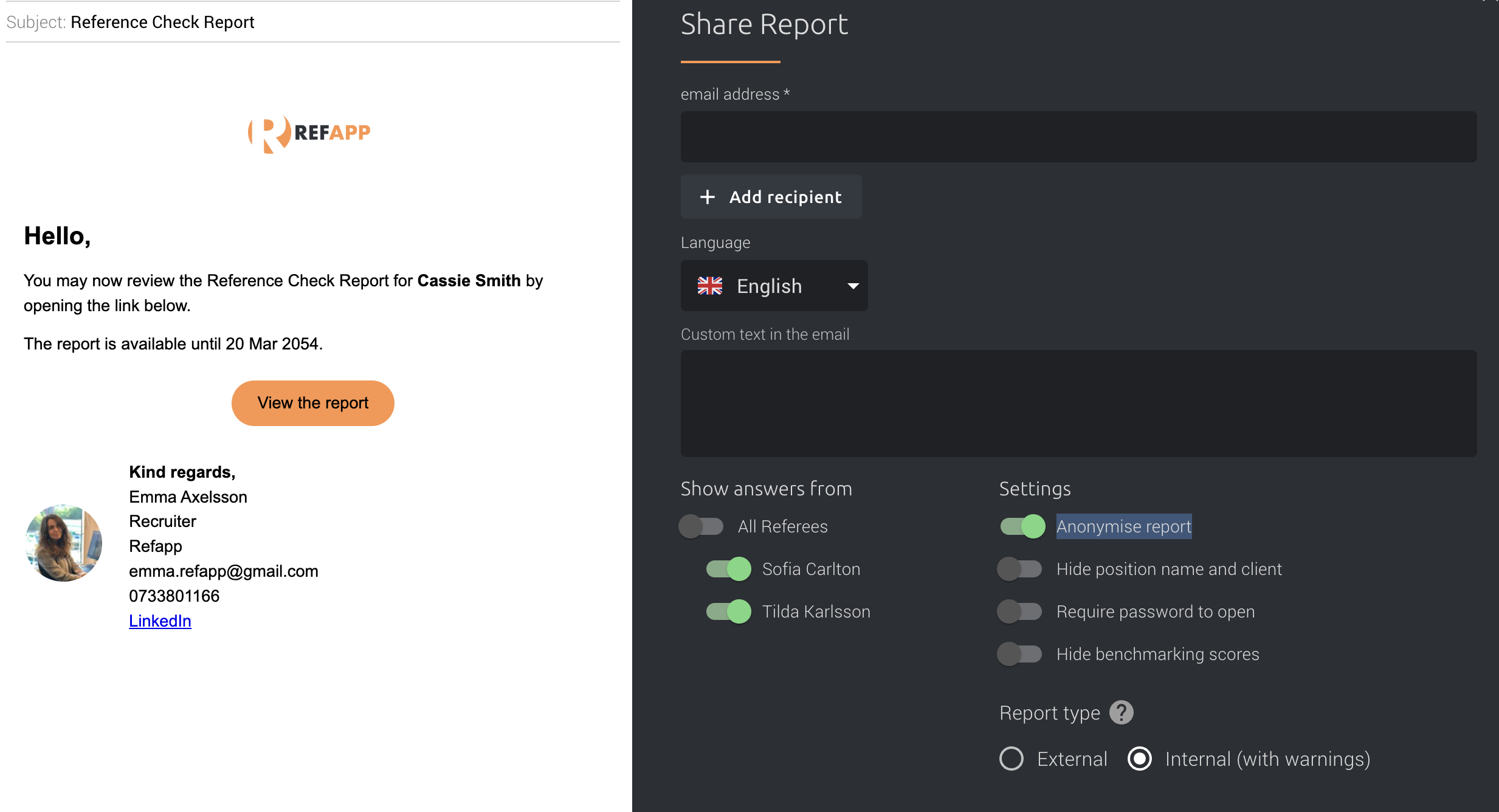
- (Optional) Activate Require password to open if you want to password-protect the report. Refapp will suggest a password, which you can use or replace with your own.
- Select the language for the email communication and the report header.
- Add the recipient's email address and click to send the report.
You can also customise the email message before sending it.
Share the report using a link
If you prefer to share the report separately, you can click Copy the web address instead to copy the report link. You can then share the link with the intended recipient through another communication channel.
Tip! We recommend using the password protection option when sharing reference reports to add an extra layer of security. If you enable password protection, remember to share the password with the recipient separately.